
No two buildings are wired the same way, so no two access control systems should be scoped the same way. This guide walks through what a good installer looks at before recommending a system, so you know what to expect from a walkthrough and can compare proposals with confidence.
What goes into an access control system
Every controlled door needs the same basic parts. Scoping is the process of deciding which version of each part fits each door.
- Reader reads the card, fob, phone or PIN. Standard readers suit most doors; biometric readers are for high-security areas.
- Electrified lock or strike physically locks and releases the door. The right type depends on the door, the frame and fire-code requirements.
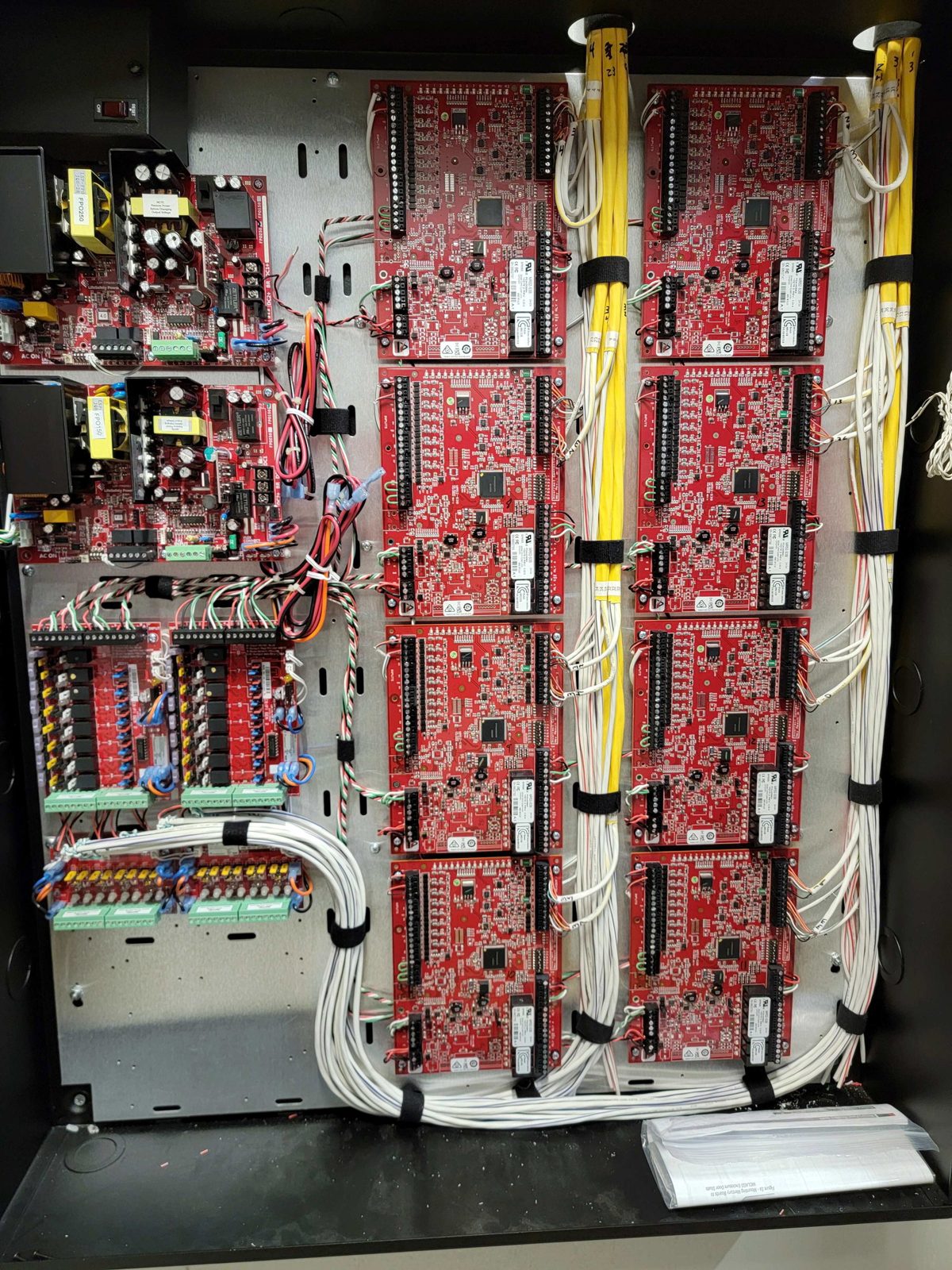
- Door controller is the brain that decides who gets in. One panel can serve several doors, so placement affects how cable is routed.
- Power supply and battery backup keep doors working during an outage.
- Cabling connects the reader, lock and controller back to the network.
- Installation and programming covers mounting, wiring, testing and setting up users, groups and schedules.
- Credentials are the cards, fobs or phone keys each person carries.
- Software controls who has access and when, and keeps the audit log of who opened which door.
Choosing credential types
- Keypad or PIN: simple and nothing to carry. Best for low-traffic interior doors.
- Card or key fob: the standard choice for most offices. Easy to issue and turn off.
- Mobile (phone as key): nothing to lose or hand back. Often paired with cards for visitors and backup.
- Biometric (fingerprint or face): for server rooms, pharmacies and high-security areas where a card could be shared.
Many businesses mix types: cards at the front door and offices, biometric at the server room.
Cloud vs. on-premise
Cloud-managed systems let you manage doors from your phone and across multiple sites, and the vendor handles updates and backups. They carry an ongoing subscription. This is the right fit for most small and mid-size businesses.
On-premise systems run on a server at your site, with a software license and an annual support contract. They suit large sites and organizations with strict data-control requirements.
SmartComm installs cloud-managed platforms including Brivo, PDK and Verkada, and Genetec for larger or on-premise deployments.
Why two scopes for "10 doors" can look very different
Door count is only the starting point. These are the factors a walkthrough uncovers.
What simplifies a project
- Existing door hardware that can be reused. Working frames and compatible locks can cut installation work significantly.
- Open ceilings or existing cable paths. Less labor to run cable.
- Doors grouped near each other. Fewer controllers and shorter cable runs.
- Cloud software, which removes the need for an on-site server.
What adds complexity
- Glass doors, metal frames or double doors that need special locks.
- Older buildings where cable has to be fished through finished walls.
- New electrical circuits or power needed at the door.
- Exterior gates and parking access, which need weather-rated hardware and longer cable runs.
- Integration with cameras, alarms or elevators.
- Biometric readers or high-security areas.
- Life-safety requirements. Magnetic locks and some door types must release automatically for fire exit. Your installer should design to code and coordinate any required approvals.
A real example
A 40,000 sq ft industrial fabrication facility in St. Charles Parish put 10 doors on access control as part of a larger project that also included 210 Cat6 drops, a fiber backbone and 31 IP cameras. Scoping access control together with the network and cameras kept every system on one well-organized infrastructure. Read the case study.
Baton Rouge-specific things to plan for
- Power outages and storms. Decide how long doors should keep working on battery backup, and whether each door fails safe (unlocks) or fails secure (stays locked) when power is lost. The right answer is different for a front door than for a server room.
- Heat and humidity at exterior doors. Use readers and locks rated for outdoor use.
How to prepare for a scoping walkthrough
Before you call an installer, have this ready:
- A floor plan or simple sketch with every door you want controlled.
- Which doors are exterior, interior, glass or double doors.
- How many people need access, and whether you want cards, phones or both.
- Whether you have security cameras or an alarm system the access control should work with.
- Whether you want to manage access from your phone or from one computer on site.
A good installer walks the building before giving a firm proposal. Be cautious of any proposal given sight unseen.
Schedule a Baton Rouge access control walkthrough
SmartComm designs and installs commercial access control for businesses in Baton Rouge and across South Louisiana. We'll walk your building, recommend the right system and give you a written proposal. Call (225) 614-9608 or request a quote. See also our access control and security camera installation services.